Your users do not want a chatbot
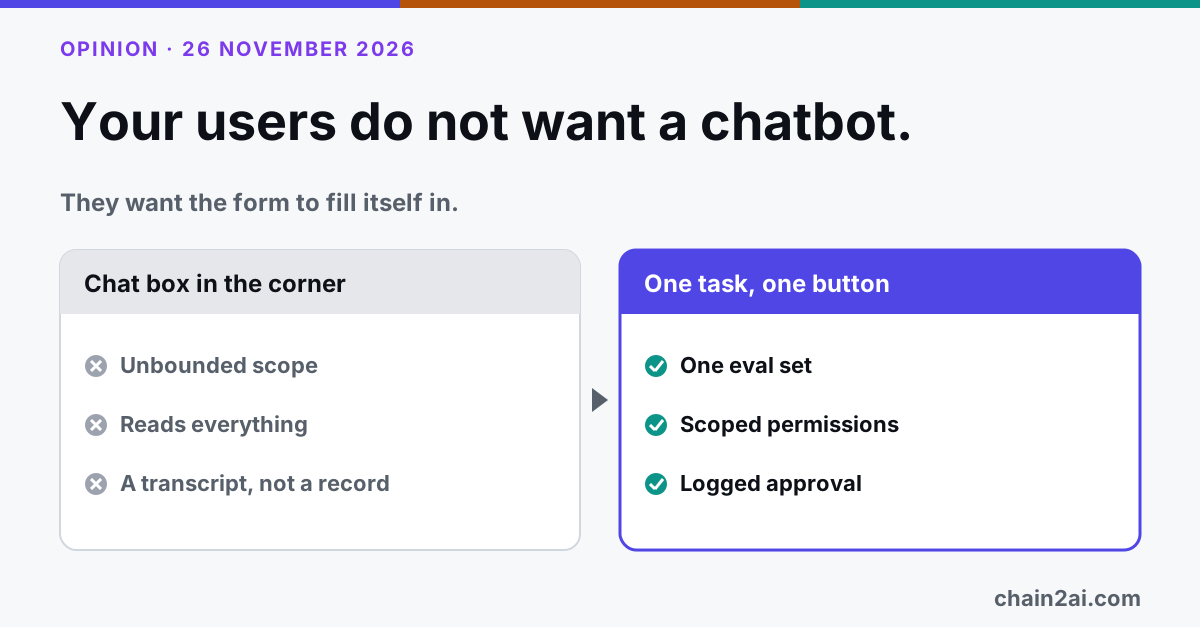
A chat box in the corner of a business application demos well and holds up badly in production: unbounded scope, blurry permissions, lost accountability. One task behind one button can be tested, authorized and logged.
When a company decides to add AI to an ERP or a customer portal, the first idea is almost always the same: a chat box in the corner of the screen. It demos beautifully. In production it is, in most cases, the weakest interface you could have picked. Users do not want to have a conversation with their software. They want the work they already do to take fewer steps.
Why chat holds up badly in production
Unbounded scope. A free text field does not tell users what they can do. People who do not know what to ask either ask anything or never use the feature. And unbounded scope cannot be tested: there is no set of test cases that covers "any question".
Blurry permissions. A chat that answers everything must be able to read everything. Permissions then no longer live in the screen. They live in a filter applied after every answer, and that filter has to be perfect every time.
Lost accountability. When something goes wrong, the auditor does not want a long transcript. They want to know which record changed, what the system proposed and who approved it. In a conversation, that information exists only if someone extracted it on purpose.
The boring alternative that works
One precise task, behind a button, in the screen where the work already happens. "Fill from invoice", "Suggest a classification", "Draft the reply to this complaint". The input is structured: the document, the record, the context the task needs and nothing more. The output is a proposal in the form fields, which the user reviews, corrects and confirms. The system logs what it proposed, what was accepted and by whom.
There is a second benefit that is easy to miss. When the model is not sure, a form can show it: a field left empty with a short reason, a value flagged for review. A chat answers every question in the same confident tone, so the user cannot tell a solid answer from a guess. A narrow task also reuses the permissions you already have: the button appears only to users who can edit that record, and the model sees only what that screen shows.
One task means one eval set, one set of permissions and a cost per run you can measure. It is a feature like any other: a use case, its tests, its permissions, and an estimate you can actually give.
When chat earns its place
Chat earns its place when exploration is the task itself: searching a document archive, first-line support, open-ended data analysis. There the question cannot be predicted and the conversation is the product. The problem is not chat. It is using chat as the default interface for every feature because it is the fastest one to show.
Which AI feature in your product would work better as a button?